Initialize Dialog with Values From Parent Form
When a user opens a child dialog from a details view, the dialog often needs to "know" which parent record it belongs to. For example, on an invoice-details view the Add line item button opens a child dialog that creates an invoice-line-item - but the line item must be linked to the invoice the user is currently looking at. This guide shows two ways to pass that parent-record context into the dialog's form.
Both approaches read from the Parent Form Values object, which Shesha exposes inside the child form whenever it is opened from a parent.
Option 1 - Use Initial Values
The Initial Values setting on the child form lets you write a JavaScript expression that seeds the form's data when it opens. This is the simplest approach when you only need to copy a few foreign-key fields across.
- Open the
invoice-line-itemCreate View in the form designer. - Open Settings and locate the Initial Values field.
- Reference
parentFormValuesto read the parent invoice's data.
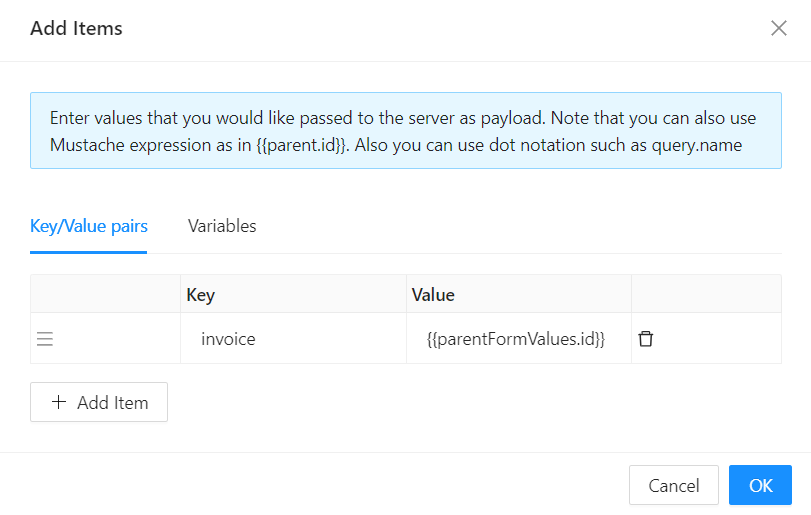
Form type to use: Create Form - the child dialog is creating a new line item against the parent invoice.
Option 2 - Use the On Initialized Event
When the seeding logic is more involved (multiple fields, conditional logic, or calls to the server), use the On Initialized event handler instead. This is a JavaScript editor that runs once, the first time the form loads, before any API call.
- Open the
invoice-line-itemCreate View in the form designer. - Open Settings and select On Initialized.
- Use
form.setFieldsValue({ ... })to seed the fields fromparentFormValues.
At this point in the lifecycle the form has no data except whatever was set by Initial Values.
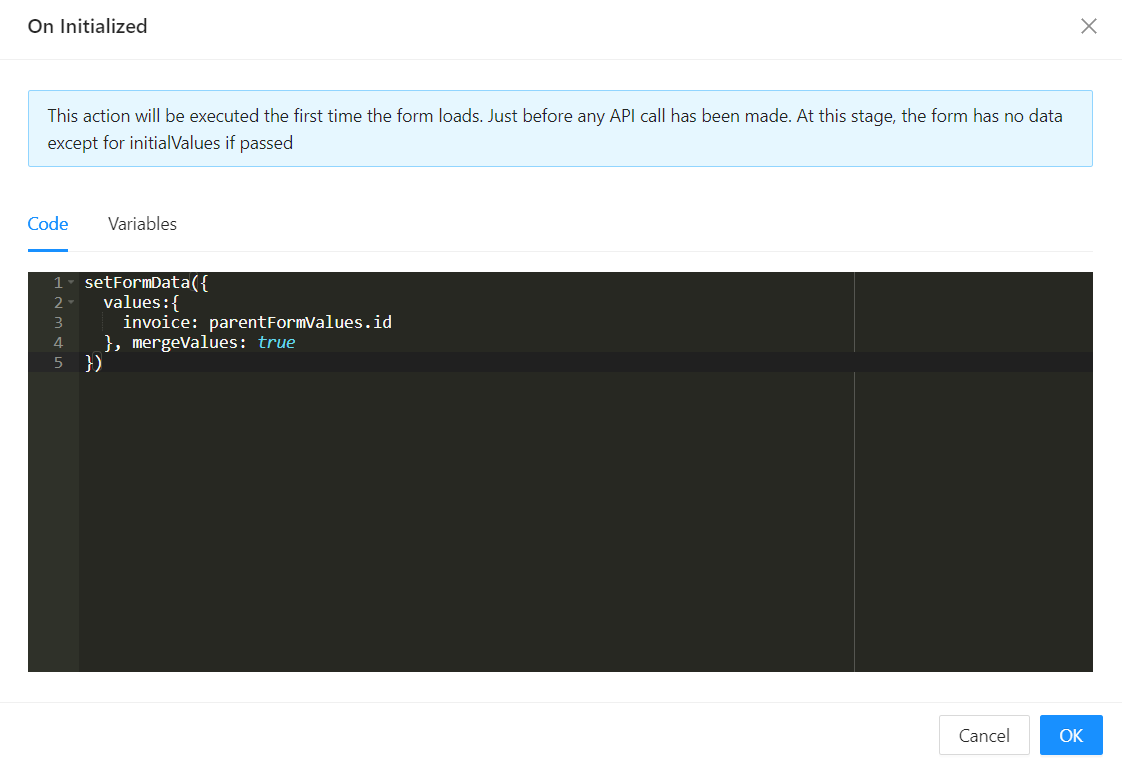
For simple cases (one or two foreign keys), prefer Initial Values - it keeps the seeding right next to the field. Reach for On Initialized when the logic needs branching, multiple statements, or async work.