Inline Editing Initialization
Inline editing lets users add or change rows directly in a table, without opening a separate dialog. When the table is a child table on a details view - for example, a Membership Payments table nested inside a Member details view - each new row needs to know which parent record it belongs to. This guide walks through wiring that up using the New Row Init property on the data table.
The Scenario
Suppose you are on a Member details view, with a Membership Payments child table that is filtered to only show payments made by the current Member.
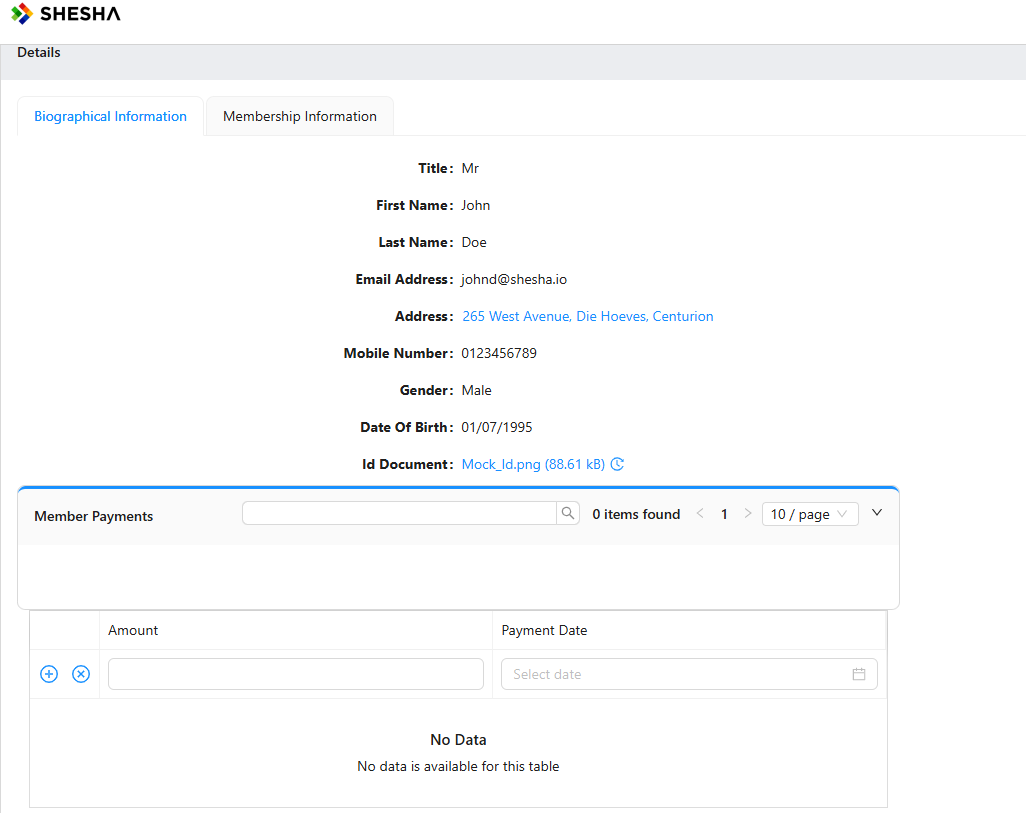
The question is: when the user adds a new payment row inline, how does that row get linked back to the Member whose details are open? The answer is the table's New Row Init property.
Configure New Row Init
- Open the form designer and select the data table component.
- In the component's settings, locate the New Row Init property.
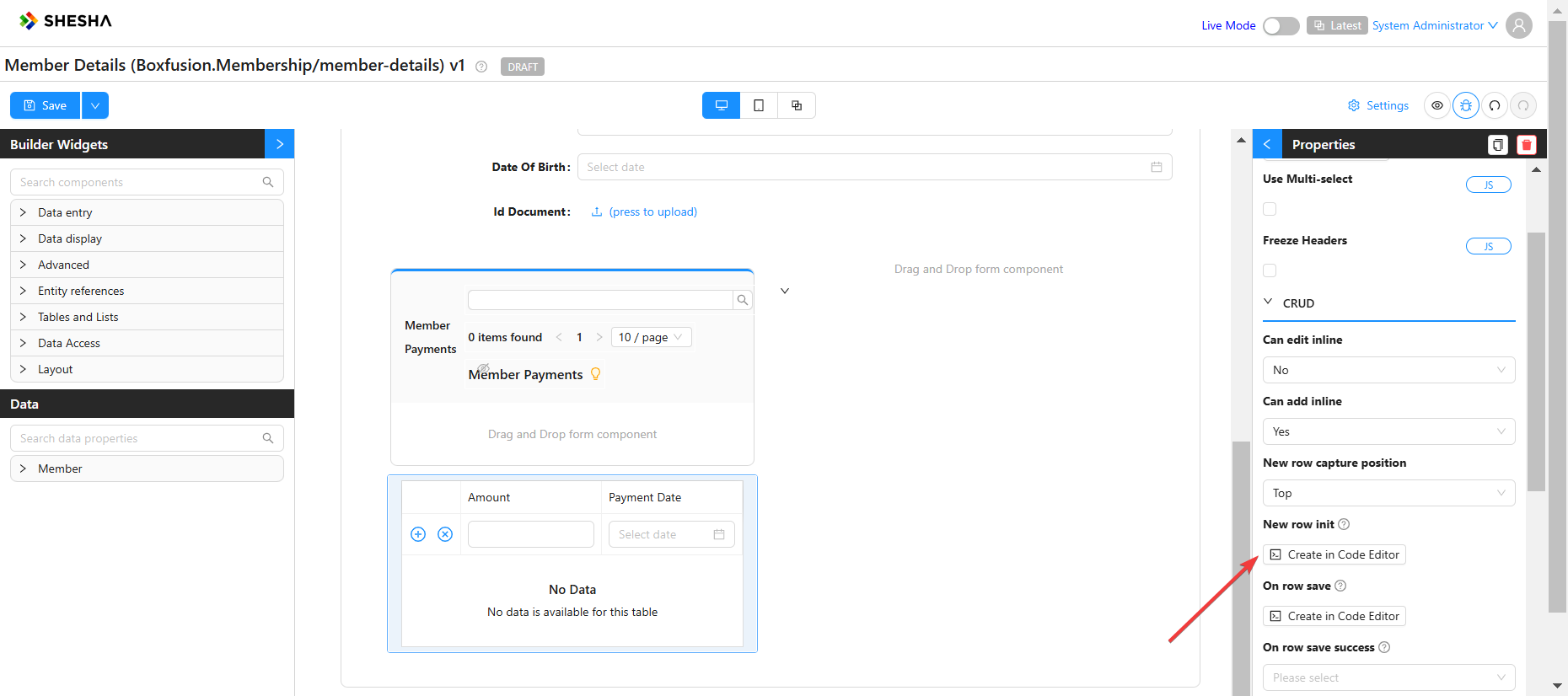
Inside New Row Init you have access to the parent form's data object - that is, the data of the Member details view the table is embedded in. Use it to seed any foreign-key fields the new row needs.
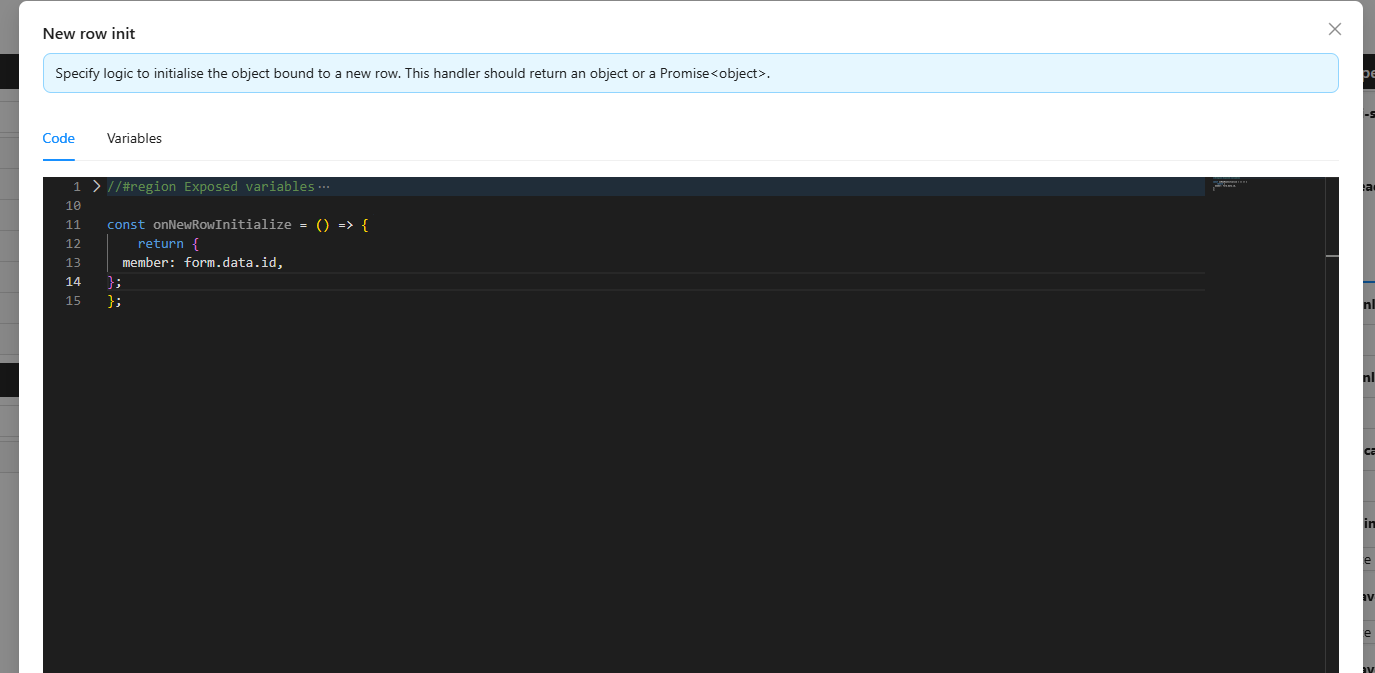
New Row Init runs once per new row, at the moment the user clicks Add row. The data the user types after that is merged on top of whatever you seeded here.
Test the Wiring
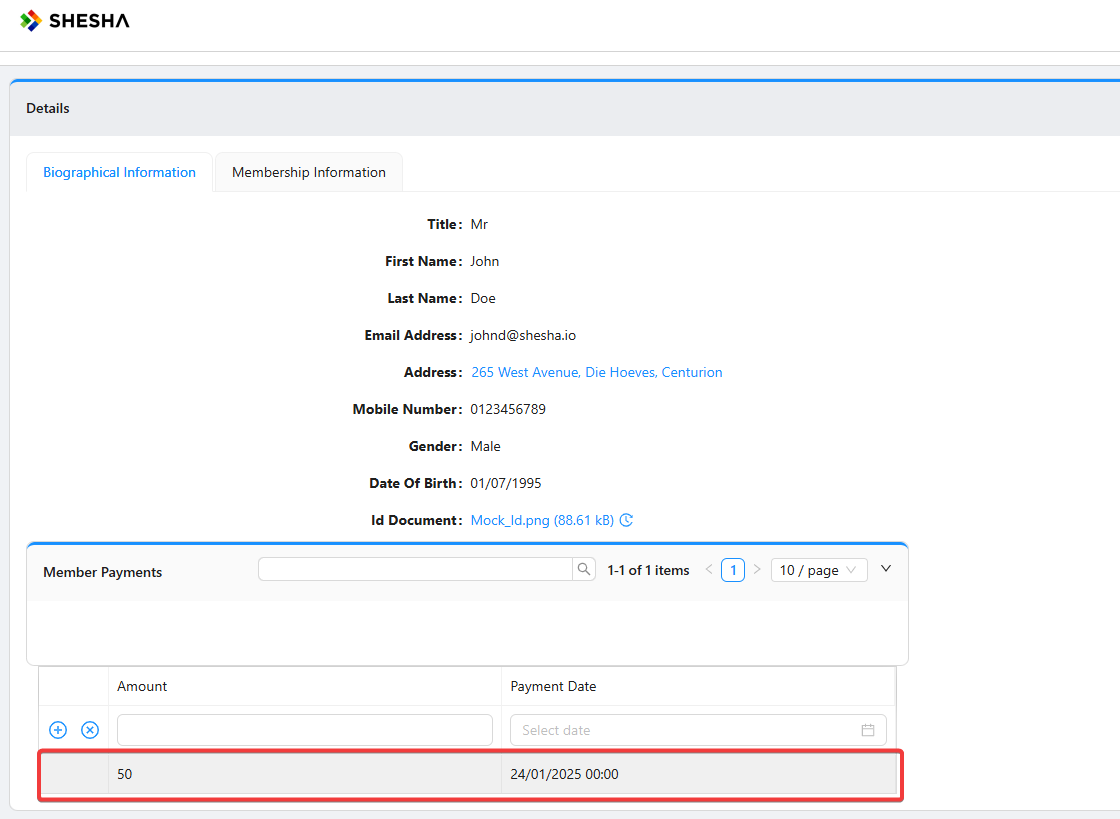
Save the form. When you add a new Membership Payment row inline, the parent Member Id is seeded automatically.
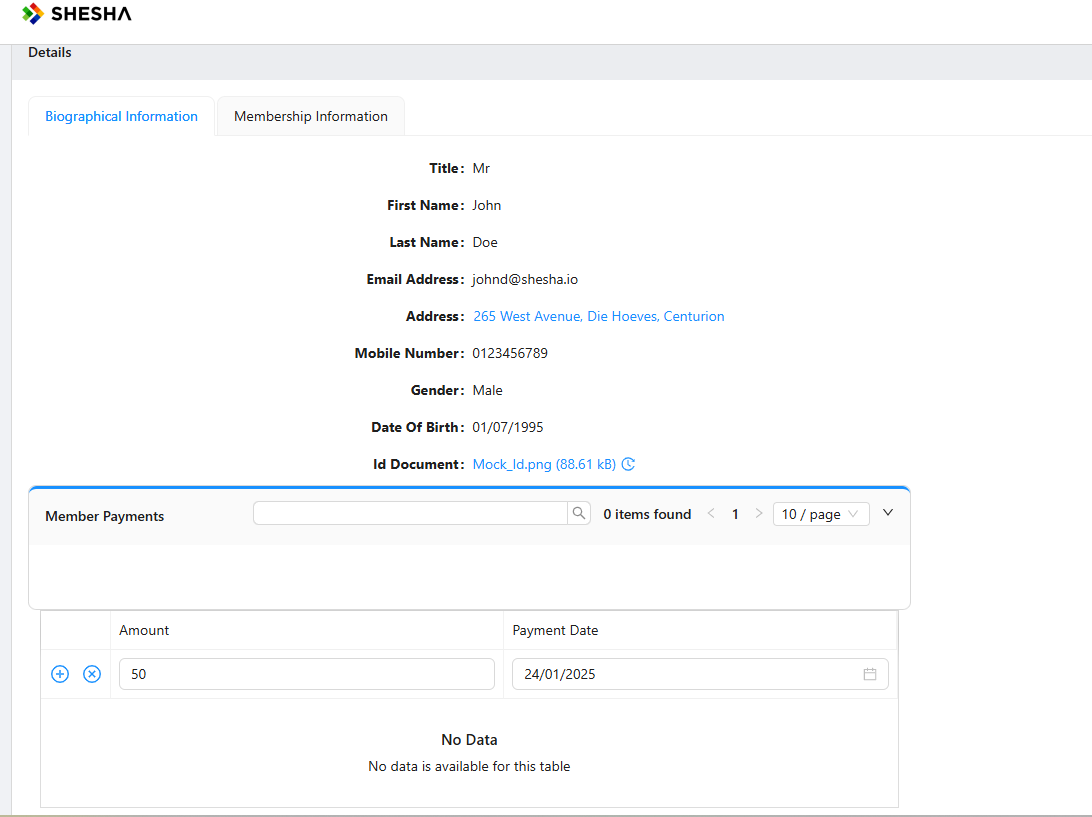
After saving, the payment appears in the table linked to the correct Member.