App Context
App Context is a storage object shared across the whole application session. Components can be bound to it directly, or a script can read and write it, so it's a convenient way to share a value between otherwise unrelated forms and pages for as long as the session lasts.
Contexts let you keep several separate stores of data and layer extra configuration on top of a form. For example, you could use a checkbox bound to App Context to toggle whether certain fields elsewhere on the page are required or visible, or use the length of some text to decide whether to show a warning.
Data Entry
Any component with a Property Name can be pointed at App Context instead of the form's own data, by setting its Context property to appContext.
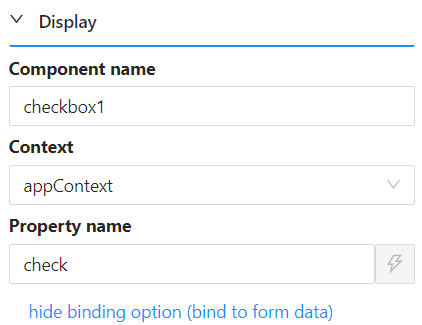
For example, a Checkbox component with Property Name check and Context set to appContext writes its value onto App Context under that name, so contexts.appContext looks like this:
{
  "check": true
}
You can read that value from a script the same way you'd read any other variable:
contexts.appContext.check
This page covers binding a component's Context to App Context from the form designer. For the full scripting API, including how to write to App Context from a script (setFieldValue) and how it differs from Page Context and Form Context, see App Context.