Table Filter
The Table Filter component is a button that opens a Data Table's built-in column-filtering panel. Its icon and badge count update automatically to show whether any filters are currently active.
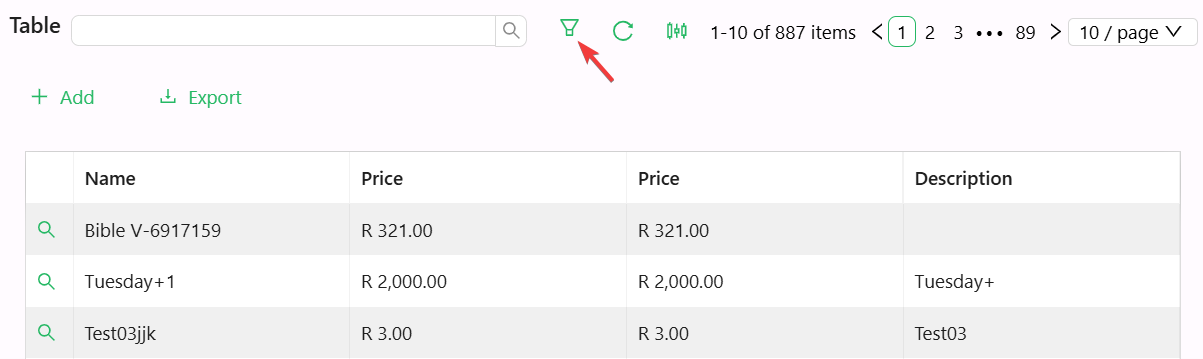
Table Filter reads its filtering state from a Data Table Context via the DataTable store. Place it inside one, the same as Quick Search.
Properties
The following properties are available to configure the behavior of the component from the form editor (this is in addition to common properties).
Display
Label string
Text shown on the button, next to the filter icon. Empty by default.
Tooltip string
When set, a small question-mark icon appears next to the button.
Icon string
Picks the icon shown on the button. Shesha automatically swaps between the icon's outlined and filled variants depending on whether a filter is currently active.
Button Type object
Controls the visual style of the button: primary, ghost, dashed, link (the default for new components), text, or default.
Danger boolean
Adds antd's red "danger" styling to the button, signalling a destructive or high-caution action.
Block boolean
Expands the button to take up the full width of its container.
Hidden boolean
A plain on/off checkbox controlling whether the component is visible on the form. It has no JavaScript-expression mode.