Component Context
Some form components expose their own data, and in some cases an API of actions, as a named entry in the contexts object, alongside the standard contexts like application and webStorage. Not every component has one - check the context list in the script editor to see what's available for the components on your form.
Finding a Component's Context
After you add a component that exposes a context to your form, it appears in the contexts list in the script editor's autocomplete, named after the component. For example, adding a DataTable Context component and a DataTable adds an entry for it to the list of contexts:
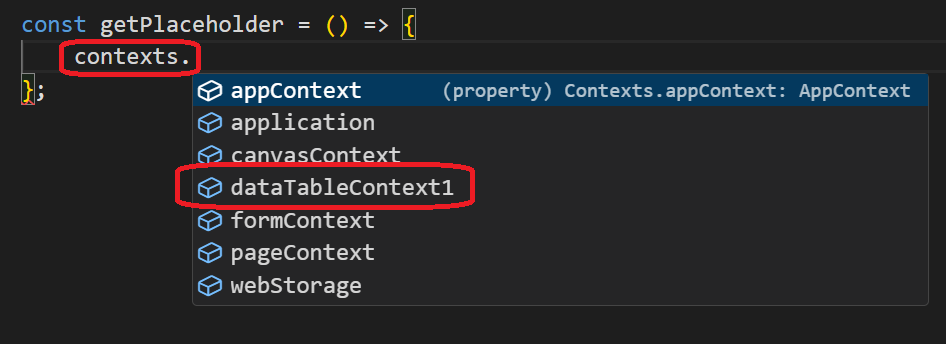
Different components expose different data and API shapes. For example, the fields exposed by a DataTable Context component:
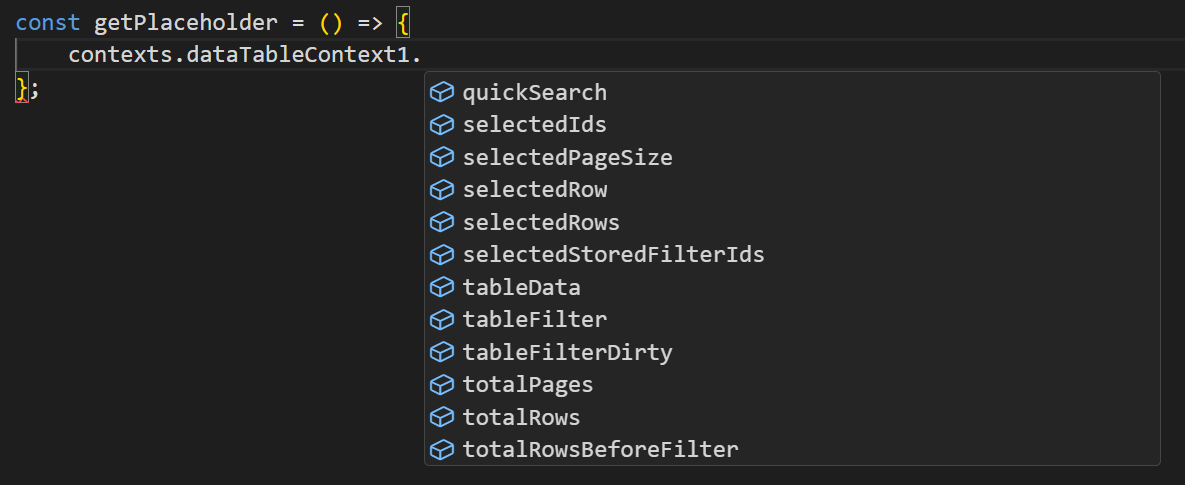
and its exposed API:
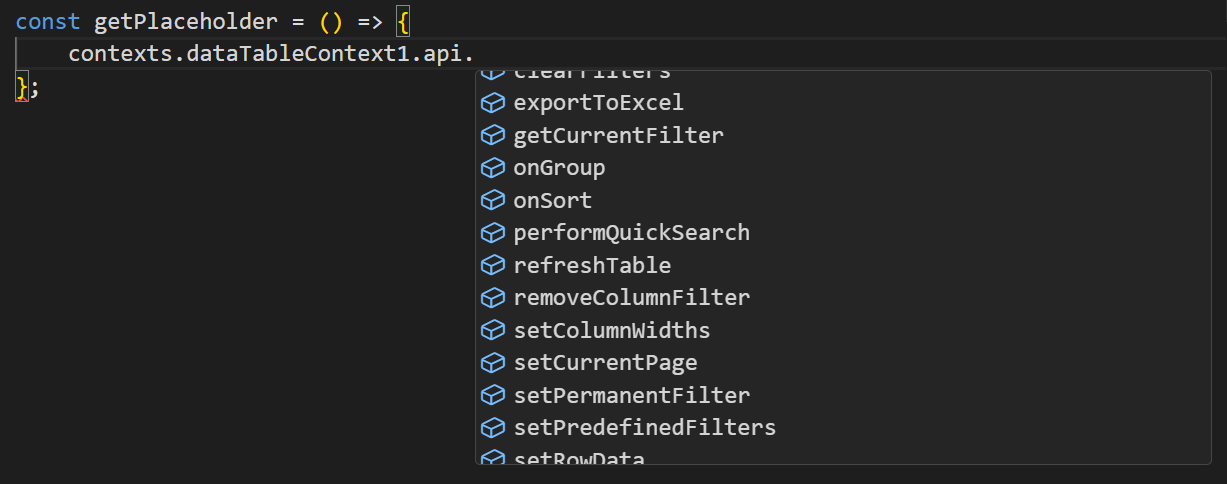
Different components expose different data and API shapes - a Data Context component's fields and methods are not the same as another component's. Expand the component's entry in the autocomplete list to see exactly what it offers.
The Data Context component (type: dataContext) is the current implementation of what used to be called DataTable Context (type: datatableContext). Existing DataTable Context components are migrated automatically to Data Context, so an older form may still show the legacy name until that happens.