Form Instance API
The form object gives your scripts access to the current form: its data, its mode, and the functions to read or update field values, submit, and report validation errors. It's available in every script alongside the other standard script variables.
Reading Form State
form.data object
Provides access to the form data. This is the same object as the top-level data variable.
const formData = form.data;
form.formMode string
Returns the current form mode. It is one of:
editreadonlydesigner
form.formSettings object
Gives access to the form's own configuration, currently exposing only modelType - the entity type the form is bound to, if any.
console.log(form.formSettings);
form.defaultApiEndpoints object
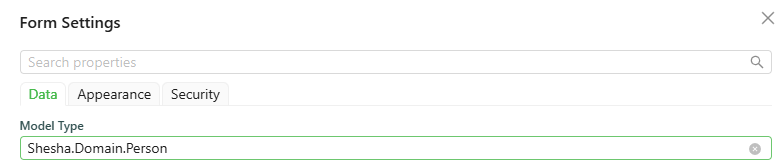
The default CRUD API endpoints (create, read, update, delete, list), available only when the form's Model type is an existing entity.
console.log(form.defaultApiEndpoints);
which logs:
{
  "read": {
    "httpVerb": "GET",
    "url": "api/dynamic/Shesha/Person/Crud/Get"
  },
  "list": {
    "httpVerb": "GET",
    "url": "api/dynamic/Shesha/Person/Crud/GetAll"
  },
  "create": {
    "httpVerb": "POST",
    "url": "api/dynamic/Shesha/Person/Crud/Create"
  },
  "update": {
    "httpVerb": "PUT",
    "url": "api/dynamic/Shesha/Person/Crud/Update"
  },
  "delete": {
    "httpVerb": "DELETE",
    "url": "api/dynamic/Shesha/Person/Crud/Delete"
  }
}
form.initialValues object
The values the form had when it first loaded, before any user edits.
form.parentFormValues object
The field values of the parent form, if this form is being rendered inside a SubForm.
form.formArguments object
The arguments passed to the form by whatever opened it (for example, query parameters or values passed when navigating to the form).
Updating Form Data
form.setFieldValue(name, value) function
Sets a single field's value by name.
form.setFieldValue('firstName', 'Jane');
form.setFieldsValue(values) function
Merges an object of field values into the form's current data.
form.setFieldsValue({ firstName: 'Jane', lastName: 'Doe' });
form.clearFieldsValue() function
Clears all field values on the form.
form.clearFieldsValue();
form.addDelayedUpdateData(data) function
Adds data to the form's deferred-update queue, returning the current list of pending delayed updates.
form.addDelayedUpdateData(data: any) => IDelayedUpdateGroup[]
form.setFormData(payload) is @deprecated and should not be used. Use form.setFieldValue/form.setFieldsValue instead.
Submitting and Reporting Validation
form.submit() function
Submits the form, the same as clicking its Submit button.
form.submit();
form.setValidationErrors(payload) function
Sets the validation errors shown by a Validation Errors component on the form. Accepts a string, an IErrorInfo object, an IAjaxResponseBase API error response, an Axios response wrapping one, or an Error.
form.setValidationErrors('Something went wrong while saving.');
form.getFormData() function
Returns the form's current data. Use this in places where you need the freshest data rather than a value captured in a closure.
const currentData = form.getFormData();
Advanced
form.formInstance object
The underlying Ant Design form instance that renders the form. See the Ant Design Form documentation for its full API.
form.shaForm object
The internal Shesha form instance. Prefer the methods and properties above for everyday scripting - this is an advanced escape hatch into Shesha's own form machinery.