On After Data Load
This event fires once a form has finished loading its data and applying it to the fields. Use it to run logic that depends on the record being fully loaded - for example, showing a summary message, or triggering a follow-up fetch based on the loaded record.
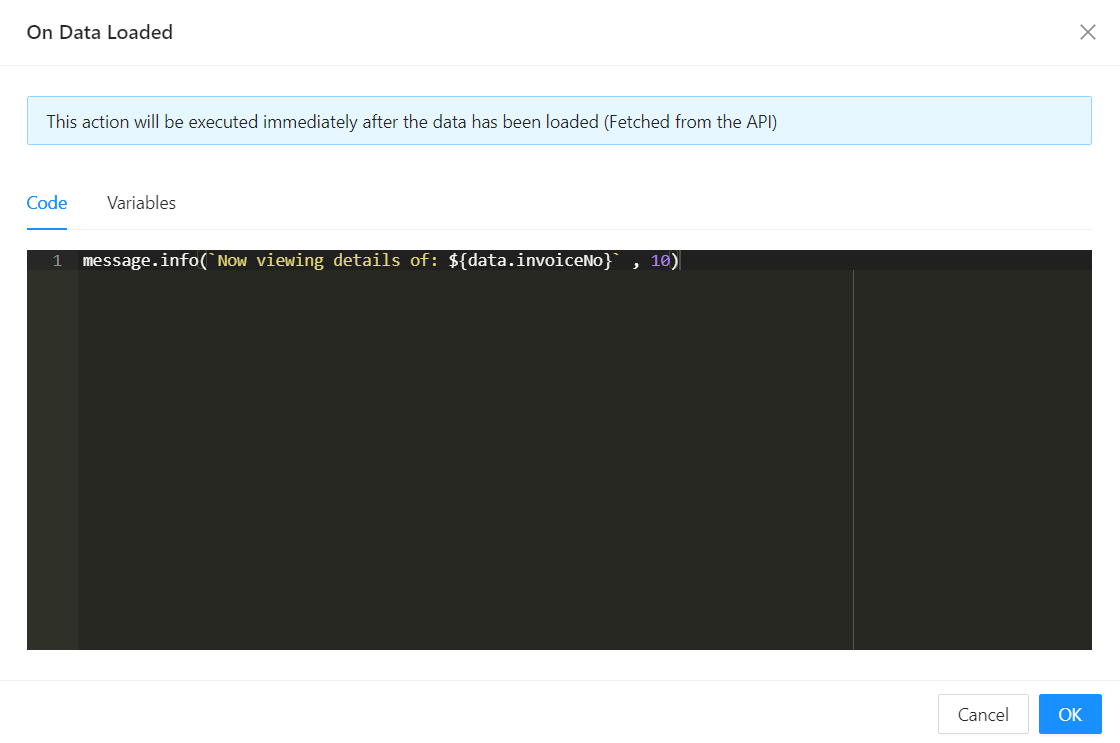
When It Fires
The event runs after the form's data has been fetched and applied to the fields, so data already reflects the loaded record. It fires each time the form (re)loads its data - for example when the form first opens, and again if it reloads with different form arguments.
A companion On Before Data Load event fires just before loading starts, if you need logic to run beforehand instead.
Available Variables
The function is declared async, so you can safely await inside it. This is a form-level lifecycle setting rather than a component Event, so its variables differ from the standard component-event set: it does not receive mode or event, but it does add a few form-specific ones.
| Variable | What it gives you |
|---|---|
data | The form's current data, now populated with the loaded record |
initialValues | The values the form had when it was first loaded, as a fixed snapshot |
parentFormValues | The field values of the parent form, if this form is open as a dialog opened from another form |
form | The form instance |
globalState / setGlobalState | The global application state, and a function to update it |
pageContext | The current Page Context |
application | The Application API object |
http | An Axios instance for making HTTP requests |
message | Functions to show toast notifications |
moment | The Moment.js library |
query | The form's query-string parameters |
Form type to use: Edit Form or Details View - any form type that loads an existing record.
Example - Show a toast naming the record just loaded:
message.info(`Viewing invoice ${data.invoiceNumber}`);