Application API
The application object is available in every Shesha script and gives access to the core services of your application. Use it to work with the current user, navigate between pages, read application settings, and perform CRUD operations on entities - all without writing custom API endpoints.
Sub-Objects
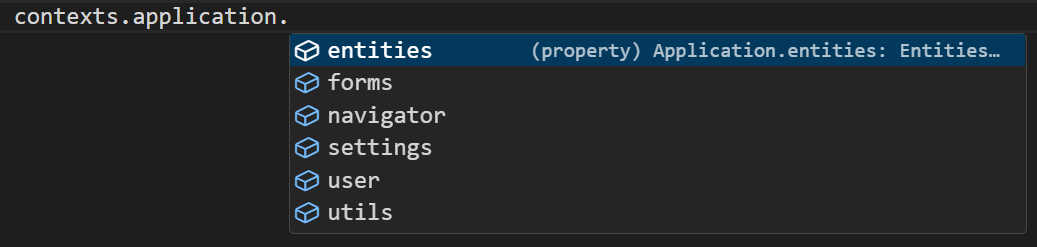
The application object is divided into focused sub-objects. Each one covers a specific area of the application.
| Sub-object | What it gives you |
|---|---|
application.user | Current user details and permission checks |
application.navigator | Navigate between pages and forms, or get a form's URL |
application.entities | Create, read, update, and delete entities by module |
application.settings | Read and write application settings by module |
application.utils | Evaluate template strings against data |
application.state | Application-wide data shared by every page and form |
application.forms | Prepare form templates with dynamic replacements |
application.state
A storage area shared by the whole application, available from every page and form for as long as the app is open. Use it for a value more than one page needs to see or change, such as a preference set on one screen that should still apply after the user navigates elsewhere.
It behaves like a plain object: there is no fixed list of properties, so any property you set becomes available under that name.
Form type to use: Any form type - application is available in every script.
Example - Store a value that outlives the current page:
const onChange = () => {
  application.state.selectedRegion = form.data.region;
};
Reading it back from a different page:
const getHidden = () => {
  return !application.state.selectedRegion;
};
application.state survives navigation, which is exactly what makes it easy to misuse. A value only one form or page needs belongs in form.state or page.state instead. See Data Contexts.
Scripts written against earlier versions used contexts.appContext. It still resolves at runtime, so existing scripts keep working, but it is no longer suggested or type-checked in the editor. application.context is also still present and is deprecated in favour of application.state.
application.forms
The forms sub-object lets you prepare dynamic form templates by substituting placeholders with runtime values.
Form type to use: Any form type - application is available in every script.
Example - Prepare a form template with a dynamic replacement:
const result = await application.forms.prepareTemplateAsync('my-template-id', { clientName: form.data.name });